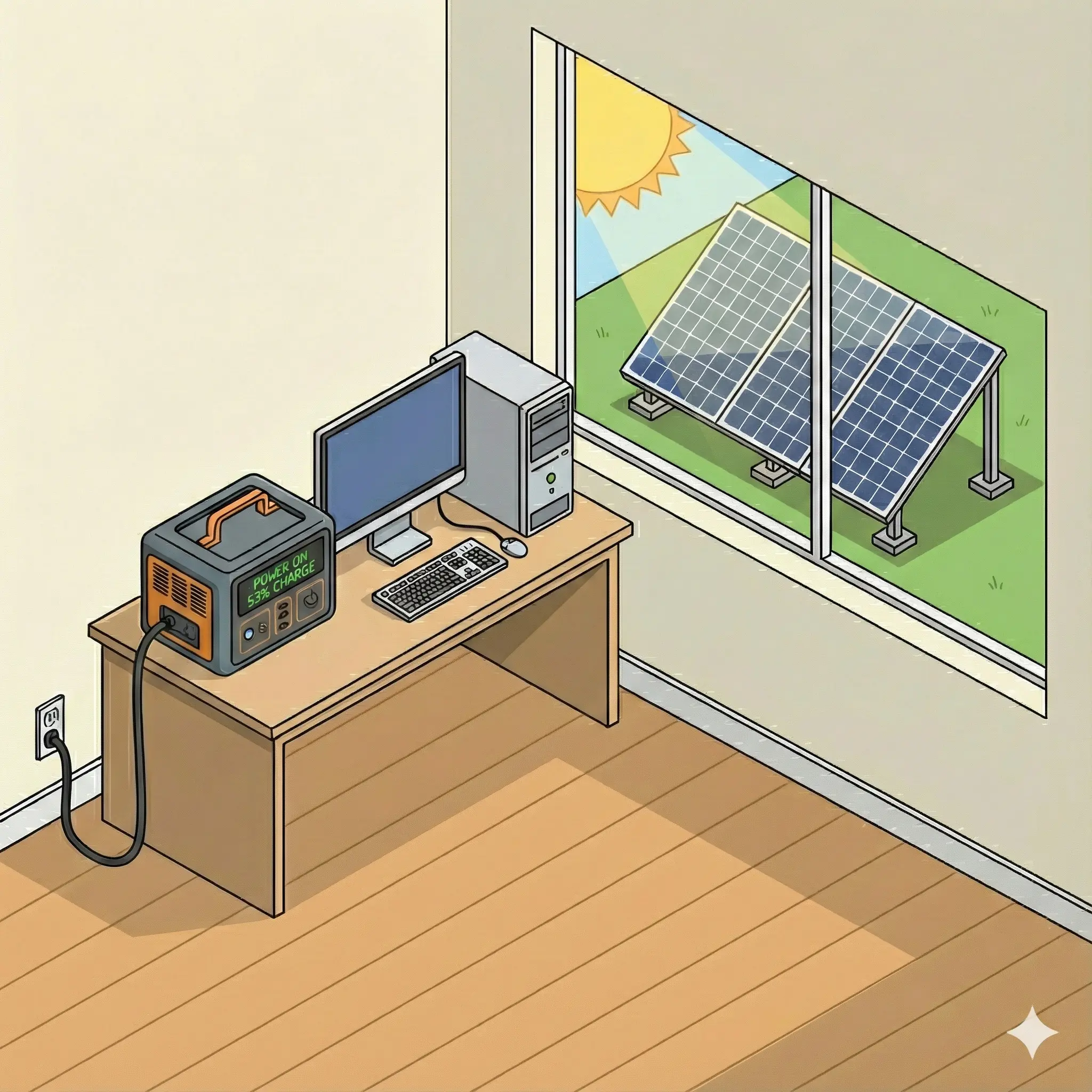
The modern residential energy landscape has undergone a paradigm shift, moving from passive consumption to active management via Distributed Energy Resources (DERs). Central to this shift is the Residential Energy Storage System (RESS), commercially marketed as "whole-home battery backup." Homeowners frequently invest in these systems with the explicit expectation of achieving an Uninterruptible Power Supply (UPS) grade of reliability—a "seamless" experience where the grid can fail, flicker, or fluctuate without a single clock resetting or a computer crashing. The user query at the heart of this report—Will a whole-home solar battery backup prevent all connected electrical devices from experiencing momentary interruptions?—touches upon the most critical, yet frequently obfuscated, performance metric in the industry: Transfer Latency.
This report posits that while RESS technology provides robust resilience against sustained outages, the fundamental architecture of grid-interactive inverters, mandated safety regulations, and the physics of load synchronization create an inherent "transfer gap." This gap, typically ranging from 16 to 500 milliseconds, is a distinct phenomenological event that separates "Backup Power" from "Uninterruptible Power." To answer the query definitively: No, a standard whole-home battery will not prevent all interruptions for all device classes. To understand why, we must dissect the interplay between utility grid codes, inverter topologies, and the increasingly sensitive power requirements of modern electronics.
1.1 The Definition of "Flicker" and Interruption
In the lexicon of power quality, a "flicker" is rarely a binary on/off event. It is a complex transient condition. The Institute of Electrical and Electronics Engineers (IEEE) and the International Electrotechnical Commission (IEC) categorize these events not merely by duration but by voltage magnitude and waveform fidelity. A "momentary interruption" is defined as a complete loss of voltage ($<10\%$ nominal) for a duration between 0.5 cycles and 3 seconds.1 However, a "voltage dip" or "sag"—often perceived as a flicker—is a reduction to between 10% and 90% of nominal voltage for 0.5 cycles to 1 minute.2
The distinction is vital because RESS behavior differs radically between a "sag" and an "interruption." During an interruption, the battery must disconnect and form a microgrid. During a sag, regulatory standards often compel the battery to remain connected and ride through the disturbance, intentionally exposing the home to the poor power quality to support the larger grid.3 This regulatory "Ride-Through" mandate is the primary reason why a battery-equipped home may still experience lights flickering or computers crashing during a storm, despite the battery being fully charged and operational.
1.2 The Scope of Analysis
This analysis evaluates the entire chain of causality:
- The Grid Event: The physics of voltage transients and the regulatory requirements for detection.
- The Detection Mechanism: How the Microgrid Interconnection Device (MID) senses Loss of Mains (LOM) and the latency introduced by "debounce" logic.
- The Switching Action: The electromechanical vs. solid-state physics of disconnecting the grid.
- The Inverter Ramp-Up: The transition from Grid-Following (current source) to Grid-Forming (voltage source) modes.
- The Load Susceptibility: The specific "hold-up" times of consumer electronics, inductive motor loads, and sensitive digital appliances.
By examining specific hardware ecosystems—Tesla, Enphase, SolarEdge, FranklinWH, and others—we will demonstrate that while "whole-home backup" is a valid macro-reliability strategy, it fails as a micro-reliability solution for zero-latency applications without supplementary hardware.
---
2. The Physics of Power Quality and Device Tolerance
To evaluate whether a battery can "prevent" an interruption, one must first quantify the interruption tolerance of the connected loads. If a switchover takes 50 milliseconds (ms), any device with a tolerance of less than 50ms will fail. This creates a "race condition" between the battery's reaction time and the device's internal capacitors.
2.1 The ITIC and CBEMA Curves
The gold standards for equipment tolerance are the ITIC (Information Technology Industry Council) curve and its predecessor, the CBEMA (Computer and Business Equipment Manufacturers Association) curve. These curves plot the magnitude of a voltage deviation against its duration to define a "safe operating envelope" for Information Technology Equipment (ITE).1
- The Tolerance Envelope: The ITIC curve suggests that typical single-phase 120V computer equipment should tolerate a complete loss of voltage (0V) for up to 20 milliseconds without shutting down.1
- The Implications: This 20ms threshold is the critical "finish line" for battery systems. If a battery backup system can detect a grid failure, open the relay, and energize the home in under 20ms, the computer remains on. If it takes 21ms, the computer crashes.
However, the curve is a general recommendation, not a universal law. As power supply units (PSUs) age, their output capacitors degrade, reducing their hold-up time. Furthermore, new standards are actually relaxing these requirements.
2.2 The ATX Power Supply Standard Regression
A disturbing trend in the PC industry is the reduction of mandatory hold-up times in newer specifications. The "hold-up time" is the duration a PSU can maintain stable DC output to the motherboard after AC input is cut.
- ATX 3.0 Standard: Required a hold-up time of > 17ms at 100% load.6 This aligns closely with one 60Hz cycle (16.6ms), offering a razor-thin margin for transfer switches.
- ATX 3.1 Standard: The latest revision has relaxed this requirement to > 12ms at 100% load.6
Insight: This regulatory regression in the PC industry creates a new vulnerability. A legacy battery system with a 16ms transfer time (historically considered "seamless") is now slower than the failure threshold of a modern ATX 3.1 computer. This creates a scenario where a homeowner might upgrade their computer and find that their existing solar battery no longer keeps it running during outages, not because the battery degraded, but because the computer became more sensitive.
2.3 Sensitivity of Inductive and Digital Loads
Beyond computers, the home contains a mix of load types with varying sensitivities:
| Load Type | Physics of Failure | Tolerance Threshold | RESS Success Probability |
|---|---|---|---|
| Resistive (Lighting/Heating) | Thermal inertia maintains output; no digital state to lose. | > 100ms (Perceptible dimming only) | High. User notices a blink but function is retained. |
| Inductive (Motors/Compressors) | Rotational inertia maintains momentum. Risk is re-energizing out-of-phase (torque spike). | 3-5 cycles (50-80ms) | Medium. Most motors ride through, but sensitive control boards may trip on "dirty power." |
| Variable Frequency Drives (VRF HVAC) | DC bus voltage monitoring protects the inverter. | < 1 cycle (<16ms) | Low. VRF systems often trip instantly on voltage sags to protect internal electronics.8 |
| Digital Clocks (Microwave/Oven) | Zero internal capacitance for logic circuits. | ~0-8ms | Very Low. Almost always reset, serving as the primary indicator of a transfer event.9 |
| Switching Power Supplies (Modem/Router) | Capacitor hold-up time. | 10-25ms | Variable. Cheap wall-warts fail faster than high-quality internal PSUs. |
2.4 The Flicker vs. Interruption distinction in Semiconductor Manufacturing
While residential standards are loose, industrial standards like SEMI F47 (used in semiconductor manufacturing) require equipment to tolerate sags to 50% voltage for up to 200ms.[1] Residential gear is rarely built to this robustness. Consequently, a "flicker" that drops voltage to 60V for 100ms—a common event during grid switching or fault clearing—will crash almost every digital appliance in a home, even if the battery eventually takes over.
---
3. Regulatory Framework: The Hidden Constraint of IEEE 1547
Often, the inability of a RESS to prevent interruption is not a hardware failure but a compliance feature. In North America, the IEEE 1547-2018 standard governs the interconnection of Distributed Energy Resources (DERs). It prioritizes Grid Stability over Local Power Quality.
3.1 The Imperative of Ride-Through (LRT/HVRT)
Historically, IEEE 1547-2003 required DERs to disconnect immediately (within 160ms) if the grid voltage deviated beyond ±10%. However, as solar penetration increased, this behavior threatened the bulk power system; a minor transmission fault could cause gigawatts of solar to trip offline simultaneously, cascading into a blackout.
IEEE 1547-2018 introduced mandatory Voltage Ride-Through (VRT) capabilities.3
- Category II/III Requirements: Inverters must remain connected and operational during voltage sags (e.g., down to 0.70 p.u. or 70% voltage) for a mandatory duration, typically 10 to 21 seconds.11
- The "Flicker" Consequence: If a storm causes the grid voltage to sag to 80V (a brownout) for 5 seconds, the battery system is prohibited from disconnecting. It must "ride through." During these 5 seconds, the home is supplied with 80V. This is insufficient for most electronics, causing lights to dim and computers to crash. The battery is technically capable of disconnecting and providing perfect 120V power, but its firmware prevents this to remain compliant with the utility interconnection agreement.
3.2 Momentary Cessation and "Blind Spots"
The standard also defines a state called "Momentary Cessation," where the inverter ceases to energize the grid but remains physically connected to monitor voltage.12
- Mechanism: During a severe transient, the inverter stops outputting current but keeps the relay closed.
- Impact: To the homeowner, this appears as a total loss of power. The grid is providing garbage power, and the inverter has stopped providing power, creating a "dead air" gap. This state can persist for several seconds before the system decides the grid is unrecoverable and finally opens the relay to island.13
3.3 Anti-Islanding Detection Speeds
To disconnect safely, the system must confirm the grid is truly gone. This uses Loss of Mains (LOM) detection algorithms.
- Active LOM: The inverter introduces small perturbations (frequency shifts) and watches for a reaction. On a stiff grid, there is no reaction. On a disconnected grid, the frequency shifts.
- Latency: This detection is not instant. While "Type A" detection is fast, it is prone to false positives (nuisance tripping). Most modern systems use "Type B" or similar logic, which is more robust but slower, adding precious milliseconds or even seconds to the transfer time.14
---
4. Inverter and Switchgear Architecture: The Mechanics of Latency
The hardware topology of the RESS largely dictates the minimum theoretical transfer time. We must distinguish between "Backup" (Standby) and "Online" topologies.
4.1 The Microgrid Interconnection Device (MID)
The MID is the gatekeeper. It is typically a relay inside a dedicated box (e.g., Tesla Gateway, Enphase System Controller, Franklin aGate) that isolates the home from the grid.
- Electromechanical Relays: Standard relays have a physical travel time. The contacts must move from "closed" to "open." This mechanical action typically takes 10-50ms.
- Arc Suppression: Opening a relay under load generates an electrical arc. The system must manage this arc, often requiring a "zero-crossing" synchronization where the relay opens when the AC sine wave is at 0V. Waiting for the next zero-crossing can add up to 8.3ms (half a cycle) of latency.16
4.2 Inverter State: Grid-Following vs. Grid-Forming
When grid-tied, the inverter acts as a Current Source (following the grid's voltage waveform). Upon disconnection, it must instantaneously shift to a Voltage Source (creating the waveform).
- The Synchronization Challenge: The inverter cannot simply "jump" into voltage source mode. It must match the phase angle of the disconnected grid to prevent a phase shift that would damage motors.
- Cold Load Pickup: If the home has high current demand (e.g., AC is running), the inverter must instantly ramp up current to maintain voltage. If the inverter's Digital Signal Processor (DSP) is too slow to react to the inrush current, the voltage on the microgrid will collapse immediately after formation, causing a secondary blackout.17
4.3 Why RESS is Not Double-Conversion
The only way to guarantee 0ms transfer is Online Double-Conversion topology: Grid $\rightarrow$ Rectifier $\rightarrow$ DC Bus $\rightarrow$ Inverter $\rightarrow$ Load.
- Efficiency Penalty: Double-conversion systems continuously process 100% of the power, typically incurring a 10-15% efficiency loss.18
- RESS Strategy: Residential systems use Line-Interactive topology to maximize efficiency (typically 94-98% round-trip).20 They bypass the inverter when the grid is present. The penalty for this efficiency is the switchover time.
---
5. Detailed Ecosystem Analysis: Brand-Specific Behavior
The abstract physics manifest differently across the major hardware ecosystems due to proprietary firmware logic and architecture choices.
5.1 Tesla Powerwall Ecosystem (Gateway 2 / Powerwall 3)
The Tesla Powerwall is the market incumbent, utilizing an AC-coupled (PW2) or DC-coupled (PW3) architecture managed by the Tesla Backup Gateway.
- Transfer Latency: While marketing materials often imply instantaneous backup, technical community data and user reports indicate a real-world transfer time of 300ms to 2 seconds for the Powerwall 3 under certain conditions.21 The older Powerwall 2 often achieves faster transitions (~50ms), but "flicker" effects are still widely reported.9
- Frequency Shift and UPS Incompatibility: A critical operational characteristic of the Powerwall in backup mode is its method of curtailing solar production. It shifts the microgrid frequency from 60Hz to 65Hz (or 62.5Hz).
- The Conflict: Standard computer UPS units often have a narrow frequency tolerance (e.g., 57-63Hz). When the Powerwall engages and shifts to 65Hz, the UPS detects "bad power" and refuses to accept the battery feed, remaining on its own small battery until it drains. This renders the UPS useless for long outages unless it is a high-end "Online" model with wide frequency tolerance.22
- "Seamless" Claims: Users report that while major appliances (fridges) stay on, sensitive devices like microwave clocks and modems frequently reset.9 The system is "seamless" for the home's infrastructure, but not its digital layer.
5.2 Enphase Energy System (IQ Battery 5P/10T & System Controller)
Enphase utilizes a distributed architecture with microinverters. The IQ System Controller (formerly Enpower) serves as the MID.
- Transfer Mechanism: The IQ System Controller uses a neutral-forming transformer and relays. The specified transition time is often cited in the 100ms range, but technical briefs acknowledge it can be longer.
- Brownout Vulnerability: A specific weakness noted in user reports and technical discussions is the system's response to brownouts (e.g., voltage sagging to ~80V). The Gateway/Controller relies on grid power to operate its logic. In deep sag conditions, the controller itself may brown out and reboot before it can execute the transfer, leading to a 30-second to 1-minute blackout while the system restarts.23
- Zigbee Latency: Older Enphase batteries (IQ Battery 3/10) communicate via Zigbee wireless. Wireless interference or signal latency can delay the synchronization required for a smooth handoff, exacerbating flicker.23 The newer IQ Battery 5P uses wired (CAN/Control) communication to mitigate this, but the brownout vulnerability remains a physical constraint of the controller's power supply.25
- UPS Requirement: Enphase's own support channels recommend using a small UPS for internet routers to prevent reboots during the transition.26
5.3 FranklinWH (aPower & aGate)
FranklinWH markets the aGate X as a robust, generator-friendly controller.
- Specification: The datasheet for the aGate X explicitly lists a transfer time of <16ms (Grid to Microgrid).27
- Analysis: This 16ms specification is aggressive and theoretically sufficient to prevent light flicker. However, it sits right at the 16.6ms threshold of a single AC cycle.
- Real-World Nuance: While the switch might actuate in 16ms, the voltage stabilization (ramping the inverter to support the load) adds additional time. Users have reported that while generally fast, the "seamless" claim holds mostly for resistive loads, while sensitive electronics may still detect the transient.29 The integrated generator management is a key differentiator, allowing the system to bridge the gap between battery depletion and generator startup, but the battery-to-grid transition itself remains subject to the physics of the MID.
5.4 SolarEdge Home Battery (DC-Coupled)
SolarEdge uses a high-voltage DC-coupled architecture (Energy Hub Inverter + Backup Interface).
- Latency Variability: The SolarEdge Backup Interface has a rated transfer time of <16ms in specifications.30 However, user experiences and installer logs suggest that the "Grid Monitoring Time" setting and the inverter's "sleep" state can extend this.
- The "Wake-Up" Penalty: If the inverter is in a low-power night mode to save energy, waking up the DC bus and energizing the AC bridge can take several seconds. Users have reported delays of 3 to 10 seconds, which is a full interruption, not a flicker.31
- Grid Monitoring Time (GRM): The firmware includes a parameter for how long the grid must be stable before reconnecting. While this affects reconnection, similar debounce logic affects disconnection.32
5.5 Victron & Schneider (The Configurable "Prosumer" Class)
Systems like the Victron MultiPlus and Schneider XW Pro differ from the "appliance-like" Tesla/Enphase systems by offering deep configurability.
- UPS Function: Victron inverters include a user-toggleable "UPS Function." When enabled, the inverter tracks the grid waveform aggressively and can switch in <10ms.
- Trade-off: This high sensitivity often causes the inverter to reject "dirty" grid power (e.g., from a fluctuating generator or unstable utility), resulting in frequent, annoying switching.33
- LOM Configuration: Installers can select LOM Type A (fast, sensitive) or Type B (slower, tolerant).14 This allows the system to be tuned for "flicker prevention" (Type A) or "grid tolerance" (Type B), placing the choice in the user's hands—a flexibility absent in the "walled garden" ecosystems of Tesla and Enphase.
- AC Input Current Limits: These inverters allow dynamic current limiting (PowerAssist), where the battery supplements a weak grid rather than disconnecting from it. This can smooth out voltage sags without a full disconnect, offering a unique "flicker mitigation" strategy that line-interactive systems lack.35
---
6. The "Double Conversion" Solution and Hybrid Topologies
The analysis clearly indicates that standard RESS topologies cannot guarantee zero interruption for ultra-sensitive ATX 3.1 loads (12ms hold-up) or digital clocks (0ms hold-up). The only technology that can is Online Double Conversion.
6.1 The Mechanics of Zero Latency
An Online Double Conversion UPS converts incoming AC to DC (charging a battery bus) and then continuously inverts that DC back to AC for the load.
- The Bridge: The load is always running on the inverter. The grid's role is merely to top up the DC bus. When the grid flickers or fails, the DC bus charging stops, but the output waveform is completely unaffected. Transfer time is 0ms.
6.2 The Hybrid "Point-of-Use" Strategy
Since powering a whole home with Double Conversion is inefficient (~15% losses) and expensive, the optimal engineering solution is a Hybrid Topology:
- Macro-Layer (Whole Home RESS): Protects the home's infrastructure (lights, fridge, HVAC) and provides long-duration energy. Handles transfers in ~50-500ms.
- Micro-Layer (Point-of-Use UPS): Protects the sensitive digital layer (Modem, Router, PC, NAS). A small 1500VA Double Conversion or Line-Interactive UPS bridges the 500ms gap left by the RESS.18
Crucial Compatibility Note: When pairing a UPS with a Whole-Home Battery, the UPS must be "Generator Compatible" or have a "Wide Input Frequency Window." As noted in Section 5.1, the 65Hz frequency shift of a Tesla Powerwall will cause a standard UPS to reject the power. The UPS must be capable of accepting 65Hz input.22
---
7. Generator Integration: The "Blinking Clock" Problem
A frequent scenario involves a home with both a battery and a generator.
- The Transfer: When the battery drains, the system must start the generator.
- The Gap: Generators require warm-up time (10-30 seconds). The battery must reserve enough energy to cover this warm-up period.
- The Flicker: Even with a battery, the switch from "Inverter Power" to "Generator Power" often involves a break-before-make transition to prevent back-feeding the inverter into the generator's winding. This transition, managed by an ATS, is almost guaranteed to cause a flicker or momentary outage unless the inverter is designed to synchronize dynamically with the generator (e.g., Victron/Schneider).38
---
8. Conclusion and Recommendations
The query asks if a whole-home battery will prevent all interruptions. The engineering evidence confirms: It will not.
The "flicker" that a user experiences is often a manifestation of the system working correctly—riding through a sag as per IEEE 1547, or detecting a fault and executing a safe, break-before-make transition. The gap introduced by this process (16ms to 2s) exceeds the tolerance of modern digital power supplies (12ms) and simple digital clocks (0ms).
8.1 Summary of Expected Behaviors
| Device Class | Expected Outcome with Whole-Home Battery |
|---|---|
| Lighting | Imperceptible blink (LED) or no change (Incandescent). |
| Kitchen Appliances | Motor loads (Fridge) continue. Digital clocks (Microwave) reset to 12:00. |
| HVAC | Standard units run. VRF/Communicating units may trip on safety logic and restart after 5 mins. |
| Internet/Network | Router likely reboots (2-min downtime) unless on a separate UPS. |
| Desktop PC | High probability of crash/reboot (ATX 3.1 sensitivity). |
8.2 Strategic Recommendations for the Homeowner
- Accept the "Blink": Acknowledge that light flickering is a sign of grid synchronization and safety checks, not failure.
- Layered Defense: Deploy dedicated UPS units for the "digital core" (Network + PC). This is non-negotiable for zero-interruption requirements.
- Frequency Matching: Ensure any downstream UPS can handle the 62.5Hz - 65Hz frequency shift of the RESS.
- Regulatory Settings: In areas with poor power quality, ask the installer if "Loss of Mains" sensitivity can be adjusted (e.g., Victron LOM Type A/B), bearing in mind this may contravene local grid codes if not done carefully.
- Hardwire Critical Comms: For Enphase systems, ensure the communication between the battery and controller is hardwired (Control/CAN bus) rather than wireless (Zigbee) to minimize latency.25
In conclusion, the Whole-Home Battery is a Grid Replacement solution, not a Power Conditioner. It solves the problem of "No Power," but it does not fully solve the problem of "Transient Power." For that, the physics of capacitors and double-conversion topology remain the only absolute defense.
---
Data Tables & Comparative Specifications
Table 1: Transfer Latency by System Topology
| System / Brand | Topology | Specified Transfer Time | Real-World / Observed Latency | Notes on Flicker Response |
|---|---|---|---|---|
| Tesla Powerwall 2 | AC-Coupled (Gateway 2) | "Fraction of a second" | 50ms - 500ms | Reports of lights flickering and microwave clocks resetting are common.9 |
| Tesla Powerwall 3 | DC-Coupled | "Fraction of a second" | 300ms - 2s | Slower transfer observed compared to PW2; significant gap for sensitive loads.21 |
| Enphase IQ Battery | Distributed AC | 100ms (Target) | 100ms - 1 min | Vulnerable to controller reboot during brownouts; UPS recommended for routers.24 |
| FranklinWH aGate | AC-Coupled | < 16ms | ~16-20ms | Aggressive spec; borders on seamless but voltage ramp-up may still trip sensitive PCs.27 |
| SolarEdge Home | DC-Coupled | < 16ms / < 3s | 3s - 10s | "Sleep mode" wake-up latency can cause multi-second interruptions.31 |
| Victron MultiPlus | Hybrid / UPS | < 20ms | 4ms - 20ms | Highly configurable; can achieve near-UPS speeds but risks rejecting grid power.33 |
| Schneider XW Pro | Hybrid | 8ms (Typical) | 8ms - 20ms | Fast relay; reliable UPS-grade switching if configured correctly.40 |
Table 2: Device Tolerance vs. Transfer Gap
| Load Type | Tolerance (Hold-up Time) | Interaction with 20ms Transfer | Result |
|---|---|---|---|
| ATX 3.0 PC PSU | > 17ms | Marginal. 17ms < 20ms gap. | Likely Crash/Reboot. |
| ATX 3.1 PC PSU | > 12ms | Fail. 12ms << 20ms gap. | Guaranteed Crash.7 |
| Modem / Router | ~10-20ms (Capacitor dependent) | Risk. High variance in cheap adapters. | Network Drop (Reboot req.). |
| LED Lighting | ~5-10ms (Driver dependent) | Visible. | Visible Blink/Flicker. |
| VRF HVAC | < 1 cycle (<16ms) | Fail. | Safety Trip (5-min delay).8 |
| Standard HVAC | ~50-100ms (Inertia) | Pass. | Continues Running. |
Table 3: IEEE 1547-2018 Ride-Through Requirements (Simplification)
| Grid Condition | Voltage Range (p.u.) | Required Behavior | Duration |
|---|---|---|---|
| Continuous | 0.88 - 1.10 | Continuous Operation | Indefinite |
| Mandatory Operation | 0.65 - 0.88 | Ride-Through (Stay Connected) | ~2 - 21 Seconds |
| Momentary Cessation | < 0.50 | Cease Energization (Pause) | Till Recovery |
| Trip | Various | Disconnect | After Duration Exp. |
Note: This table illustrates why a battery may "refuse" to kick in during a brownout (0.65-0.88 p.u.); it is legally required to stay connected for up to 21 seconds.11
Works cited
1. ITIC Curve - Voltage Disturbance, accessed December 3, 2025, https://voltage-disturbance.com/voltage-quality/itic-curve/
2. The Art of Power Quality Measurement – apt4power.com, accessed December 3, 2025, https://apt4power.com/the-art-of-power-quality-measurement/
3. PQ TechWatch: PQ Implications of DER and the Role of IEEE 1547 - EPRI, accessed December 3, 2025, https://restservice.epri.com/publicdownload/000000003002010422/0/Product
4. DER Ride-Through Performance Categories and Trip Settings - Ohio.gov, accessed December 3, 2025, https://dam.assets.ohio.gov/image/upload/puco.ohio.gov/empliibrary/files/DER/2018-5-epri-crash-course-ieee-standard-1547-2018.pdf
5. Voltage Tolerance Boundary - PGE, accessed December 3, 2025, https://www.pge.com/assets/pge/docs/contact-us/report-an-issue/Voltage_Tolerance.pdf
6. Differences Between ATX 3.0 and ATX 3.1 Standards - Seasonic Knowledge Base, accessed December 3, 2025, https://knowledge.seasonic.com/article/79-comparison-atx-3-0-vs-atx-3-1-standards
7. ATX 3.0 vs ATX 3.1: What's the Difference? - Corsair, accessed December 3, 2025, https://www.corsair.com/us/en/explorer/diy-builder/power-supply-units/atx-30-vs-atx-31-whats-the-difference/
8. Backup and protection for VRF system for Cooling - Su-vastika, accessed December 3, 2025, https://suvastika.com/backup-and-protection-for-vrf-system-for-cooling/
9. Powerwall is not transferring fast enough - Reddit, accessed December 3, 2025, https://www.reddit.com/r/Powerwall/comments/s3zydg/powerwall_is_not_transferring_fast_enough/
10. IEEE 1547-2018 Guide: DER Interconnection Standards Explained - Keentel Engineering, accessed December 3, 2025, https://keentelengineering.com/ieee-1547-2018-der-interconnection-standards
11. PPL Electric Utilities Distribution Interconnection and Tariff Rules DER Inverters Voltage and Frequency Ride-Through Settings, accessed December 3, 2025, https://www.pplelectric.com/site/-/media/ppl-jss-app/assets/Home/More/For-Construction/DER-Management/docs/DER%20Ride%20Through%20Settings.ashx
12. LADWP Smart Inverter Technical Requirements, accessed December 3, 2025, https://www.ladwp.com/sites/default/files/2023-10/LADWP%20Smart%20Inverter%20Technical%20Requirements.pdf
13. Documentation centre - Enphase, accessed December 3, 2025, https://enphase.com/en-in/installers/resources/documentation/communication?search_api_language=All&field_alternative_language=All&f%5B0%5D=document:217&f%5B1%5D=product_media_name:667&f%5B2%5D=product_media_name:668&f%5B3%5D=product_media_name:723&f%5B4%5D=product_media_name:726&f%5B5%5D=product_media_name:2316&f%5B6%5D=product_media_name:2329&f%5B7%5D=product_media_name:2618&f%5B8%5D=product_media_name:2620&f%5B9%5D=product_media_name:2649&f%5B10%5D=product_media_name:2673&f%5B11%5D=product_media_name:2684&f%5B12%5D=product_media_name:2696&f%5B13%5D=product_media_name:2720&f%5B14%5D=product_media_name:2763&f%5B15%5D=product_media_name:2779&f%5B16%5D=product_media_name:2829&f%5B17%5D=product_media_name:2955&f%5B18%5D=product_media_name:3001&f%5B19%5D=product_media_name:3126&f%5B20%5D=product_media_name:3484&f%5B21%5D=product_media_name:3677&f%5B22%5D=product_media_name:5149&f%5B23%5D=product_media_name:5150&f%5B24%5D=product_media_name:6139&f%5B25%5D=product_media_name:7736&f%5B26%5D=product_media_name:7985&f%5B27%5D=product_media_name:7990&f%5B28%5D=product_media_name:10085&f%5B29%5D=product_media_name:10249&f%5B30%5D=product_media_name:10250&f%5B31%5D=product_media_name:10259&f%5B32%5D=product_media_name:10275&f%5B33%5D=product_media_name:11203&f%5B34%5D=product_media_name:11859&f%5B35%5D=product_media_name:12367&f%5B36%5D=product_media_name:12549&f%5B37%5D=product_media_name:12619&f%5B38%5D=product_media_name:12620&f%5B39%5D=product_media_name:12882&f%5B40%5D=product_media_name:12899&f%5B41%5D=product_media_name:12903&f%5B42%5D=product_media_name:14105&f%5B43%5D=product_media_name:14137&f%5B44%5D=product_media_name:15777&f%5B45%5D=product_media_name:18653&f%5B46%5D=product_media_name:18965&f%5B47%5D=product_media_name:19628&f%5B48%5D=product_media_name:22481&f%5B49%5D=product_media_name:24626&page=1
14. VEConfigure: grid codes & loss of mains detection - Victron Energy, accessed December 3, 2025, https://www.victronenergy.com/live/ve.bus:grid-codes-and-loss-of-mains-detection?do=export_pdf&rev=1595257262
15. VEConfigure: grid codes & loss of mains detection - Victron Energy, accessed December 3, 2025, https://www.victronenergy.com/live/ve.bus:grid-codes-and-loss-of-mains-detection
16. All You Need to Know About Automatic Transfer Switch For Whole-Home Backup In The US, accessed December 3, 2025, https://www.ecoflow.com/us/blog/automatic-transfer-switch-home-backup-guide
17. Best Practices During Power Outages | Tesla Support, accessed December 3, 2025, https://www.tesla.com/support/energy/powerwall/own/best-practices-during-power-outages
18. Online (Double Conversion) Pure Sine Wave Battery Backup Uninterruptible Power Supply Systems (UPS) And Power Conditioners, accessed December 3, 2025, https://www.backupbatterypower.com/collections/online-double-conversion
19. How do Double Conversion UPS Systems Protect against Power Surges and Spikes, accessed December 3, 2025, https://www.prostarsolar.net/article/how-do-double-conversion-ups-systems-protect-against-power-surges-and-spikes.html
20. LG RESU Battery Complete Guide: Models, Pricing & Reviews (2025) - SolarTech, accessed December 3, 2025, https://solartechonline.com/blog/lg-resu-battery-guide/
21. Powerwall 3 power outage backup switchover delay - Reddit, accessed December 3, 2025, https://www.reddit.com/r/Powerwall/comments/1gzji9j/powerwall_3_power_outage_backup_switchover_delay/
22. Powerwalls + Computer Servers + UPS = disaster - Reddit, accessed December 3, 2025, https://www.reddit.com/r/Powerwall/comments/1f8k96k/powerwalls_computer_servers_ups_disaster/
23. Can someone please clarify. Does Enphase System are supposed to ALWAYS switch to battery immediately after a grid outage?, accessed December 3, 2025, https://support.enphase.com/s/question/0D53m000086Zen8CAC/can-someone-please-clarify-does-enphase-system-are-supposed-to-always-switch-to-battery-immediately-after-a-grid-outage
24. Is the Enphase Battery Backup Solution Faster Enough to Replace a UPS? - Reddit, accessed December 3, 2025, https://www.reddit.com/r/enphase/comments/14n47ds/is_the_enphase_battery_backup_solution_faster/
25. Is the new/revised IQ gateway ENV2-IQ-AM1-240 with improved LVRT support for IEEE-1547 2018 compliance only required for Enphase sunlight backup or is it required for all backup systems with battery backup?, accessed December 3, 2025, https://support.enphase.com/s/question/0D53m00008namSvCAI/is-the-newrevised-iq-gateway-env2iqam1240-with-improved-lvrt-support-for-ieee1547-2018-compliance-only-required-for-enphase-sunlight-backup-or-is-it-required-for-all-backup-systems-with-battery-backup
26. What is the delay between a grid power outage and the start of the battery supplying power to circuits? - Enphase Support, accessed December 3, 2025, https://support.enphase.com/s/question/0D53m00008Kd9gkCAB/what-is-the-delay-between-a-grid-power-outage-and-the-start-of-the-battery-supplying-power-to-circuits
27. Franklin aGate powerwall controller - SunWatts, accessed December 3, 2025, https://sunwatts.com/franklin-agate-powerwall-controller/
28. FHP 1.1 aPower+aGate+app Datasheet - FranklinWH, accessed December 3, 2025, https://e-uploads.franklinwh.com/website/news/8853a3e23b9d1bee89e299e0c93f456e.pdf
29. FranklinWH Home Energy Storage: The Ultimate Guide - PowerLutions Solar Company, accessed December 3, 2025, https://powerlutions.com/battery-storage/franklinwh-home-energy-storage-the-ultimate-guide/
30. SolarEdge Backup Interface: Complete Guide To Models & Installation (2025) - SolarTech, accessed December 3, 2025, https://solartechonline.com/blog/solaredge-backup-interface-guide/
31. Solaredge backup switchover delay : r/solar - Reddit, accessed December 3, 2025, https://www.reddit.com/r/solar/comments/1oksul4/solaredge_backup_switchover_delay/
32. Technical Note – Power Control Protocol for SolarEdge Inverters - Symcon Community, accessed December 3, 2025, https://community.symcon.de/uploads/short-url/aoAU2uHIM0j31NazUuXbUHxi9tE.pdf
33. How long is the transfer time with the UPS FUNCTION disabled? - VictronEnergy, accessed December 3, 2025, https://communityarchive.victronenergy.com/questions/32380/how-long-is-the-transfer-time-with-the-ups-functio.html
34. MultiPlus Generator FAQ - Victron Energy, accessed December 3, 2025, https://www.victronenergy.com/live/multiplus_faq
35. Victron Energy MultiPlus Review: The Ultimate Inverter and Battery Charger for Reliable Power Systems, accessed December 3, 2025, https://www.12voltpower.com/why-the-victron-energy-multiplus-is-a-game-changer-for-power-systems/
36. How to Program a Victron Multiplus/Quattro - EXPLORIST.life, accessed December 3, 2025, https://explorist.life/how-to-program-a-victron-multiplus-quattro/
37. 10 Home Applications that Require Uninterruptible Power Supplies - EcoFlow, accessed December 3, 2025, https://www.ecoflow.com/us/blog/essential-ups-home-applications
38. PWRcell Smart Transfer Switch : r/PwrCellOwners - Reddit, accessed December 3, 2025, https://www.reddit.com/r/PwrCellOwners/comments/tzjcov/pwrcell_smart_transfer_switch/
39. Combining Systems with Powerwall | Tesla Support, accessed December 3, 2025, https://www.tesla.com/support/energy/powerwall/learn/combining-systems
40. XW Pro - Schneider Electric Solar, accessed December 3, 2025, https://solar.se.com/au/wp-content/uploads/sites/3/2021/08/XW-Pro-IEC-Datasheet-for-Australia.pdf